
Screenshots
App details
- Version
- 12.4 | 12.3 | 12.2 | 12.1 | 12.0.0 | 11....
- Size
- 2.33 MB
- Updated
- May 6, 2025
- Requires
- Windows 2003
- Language
- English
- License
- Trial version
- Developer
- PowerDataRecovery
- Category
- Windows OS
SoftPas in:
This product is also available in the following languages:
About Power Data Recovery
Download Power Data Recovery – Secure, Fast & Free File Recovery Tool for Windows, Mac, Android & iOS
In today’s digital world, losing important files—whether due to accidental deletion, system crashes, virus attacks, or formatting—can be a nightmare. That’s where Power Data Recovery steps in as a powerful, intuitive solution for anyone needing to retrieve lost data quickly and securely. Designed with both beginners and advanced users in mind, this software offers a streamlined recovery process across multiple platforms, including Windows, Mac, Android, and iOS. Whether you’ve just emptied the Recycle Bin or accidentally reformatted your drive, Power Data Recovery provides three specialized recovery modules to maximize your chances of file restoration. With its ability to preview files before recovery and resume interrupted scans, this tool stands out as one of the most efficient data recovery solutions on the market. The free version is fully functional, allowing users to test its capabilities with up to 1 GB of recoverable data, making it an excellent starting point for anyone in need of immediate relief.
Power Data Recovery Features: What Makes It Stand Out?
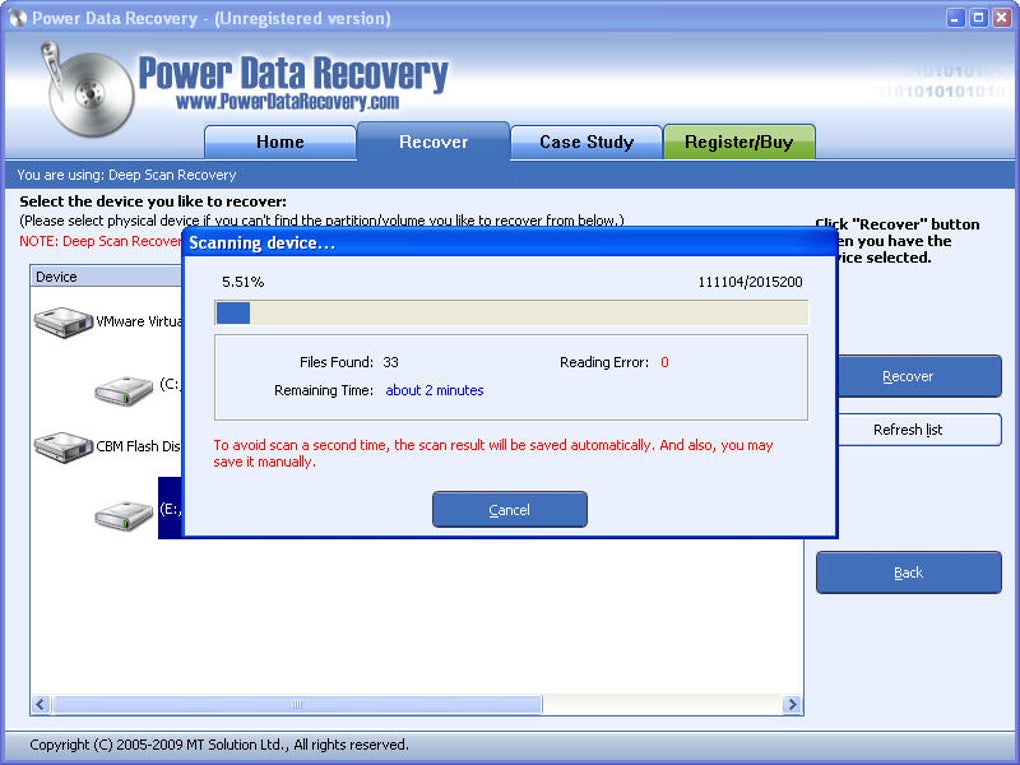
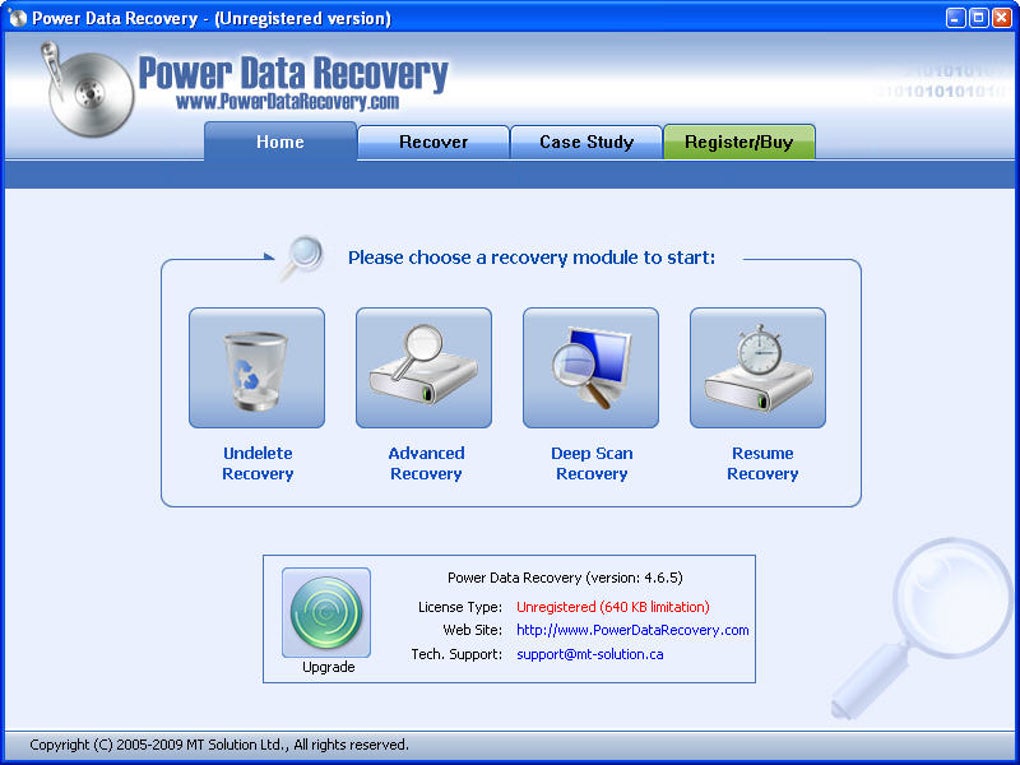
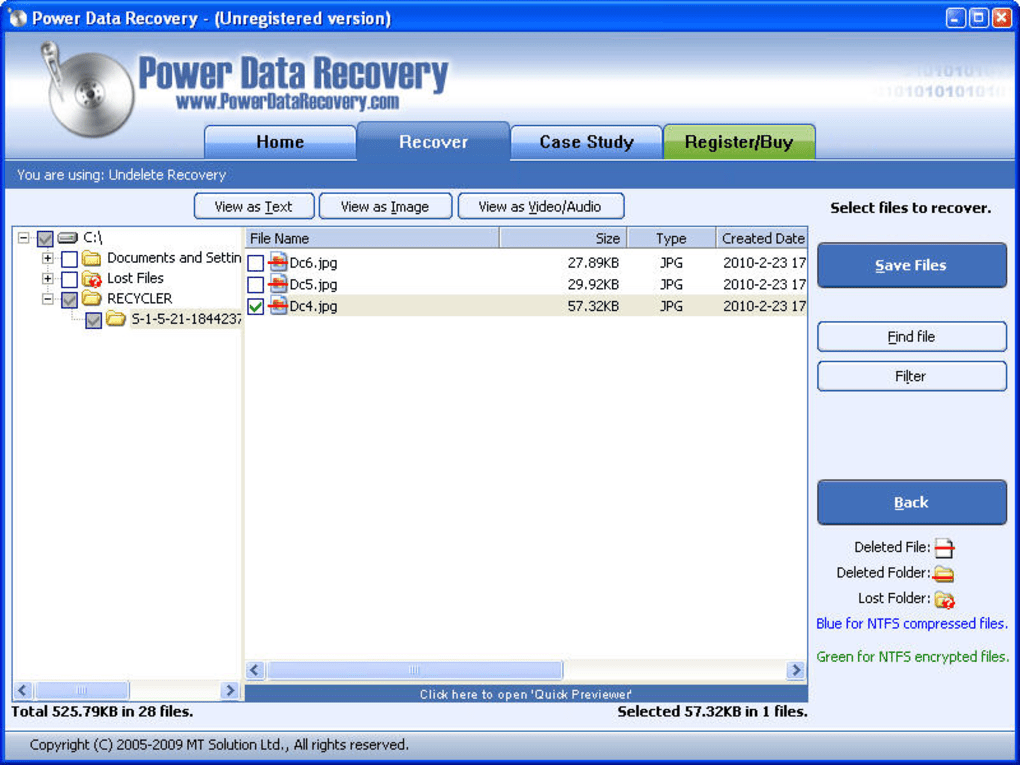
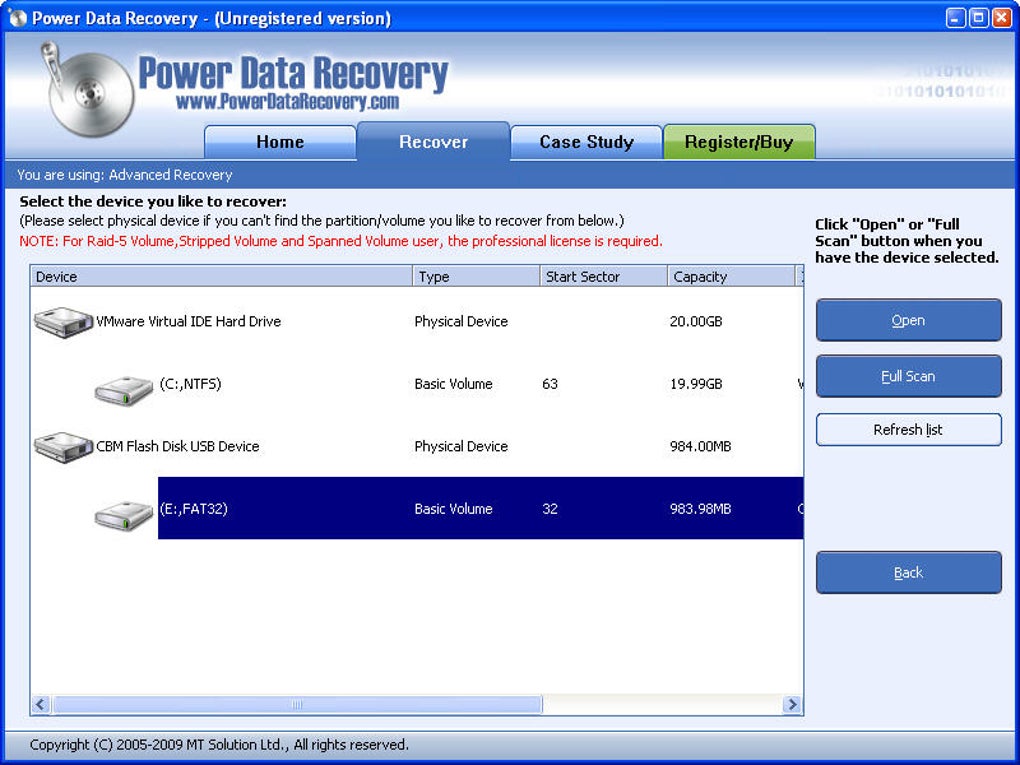
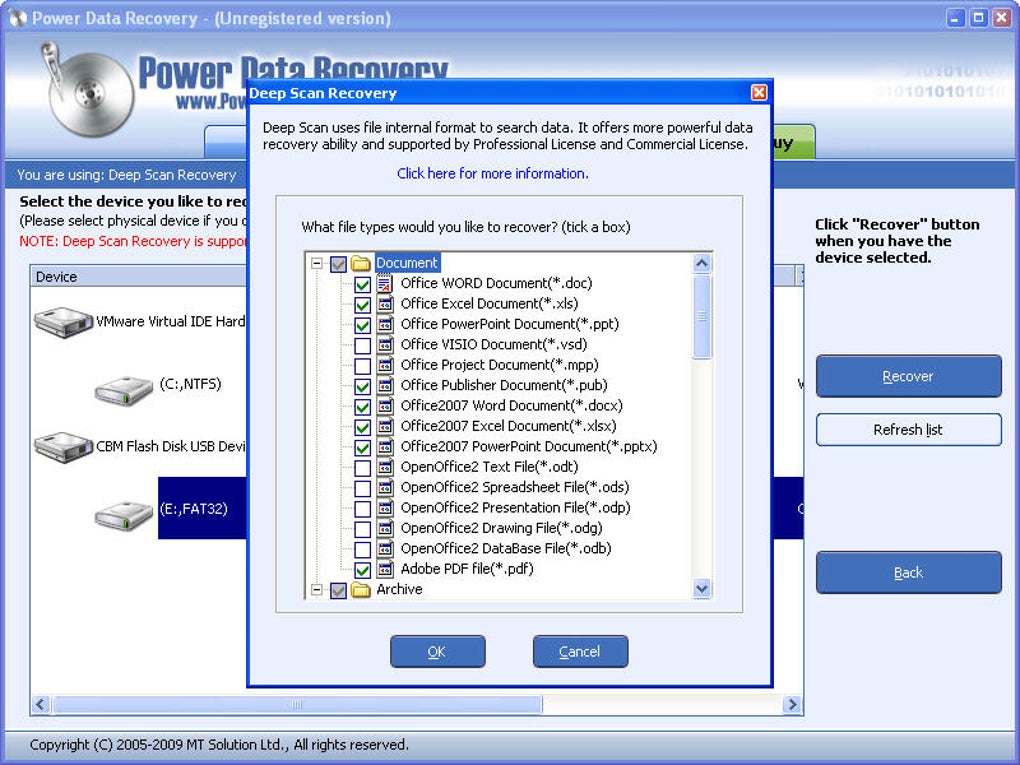
Power Data Recovery is equipped with a robust set of features that make it a top contender in the data recovery software space. At its core, the software includes three distinct recovery modules, each tailored to different types of data loss scenarios. The Undelete Recovery module is ideal for files that were recently deleted but still reside in the file system. It performs a quick scan to locate and restore these files, making it perfect for everyday accidental deletions. The Advanced Recovery module goes a step further, targeting lost partitions, corrupted drives, or data lost during system crashes. This module uses deep file system analysis to recover data even when the partition table is damaged or missing. Finally, the Deep Scan Recovery module is the most comprehensive, performing a full sector-by-sector scan of your storage device. While this process takes longer, it significantly increases the chances of recovering files that were thought to be permanently lost.
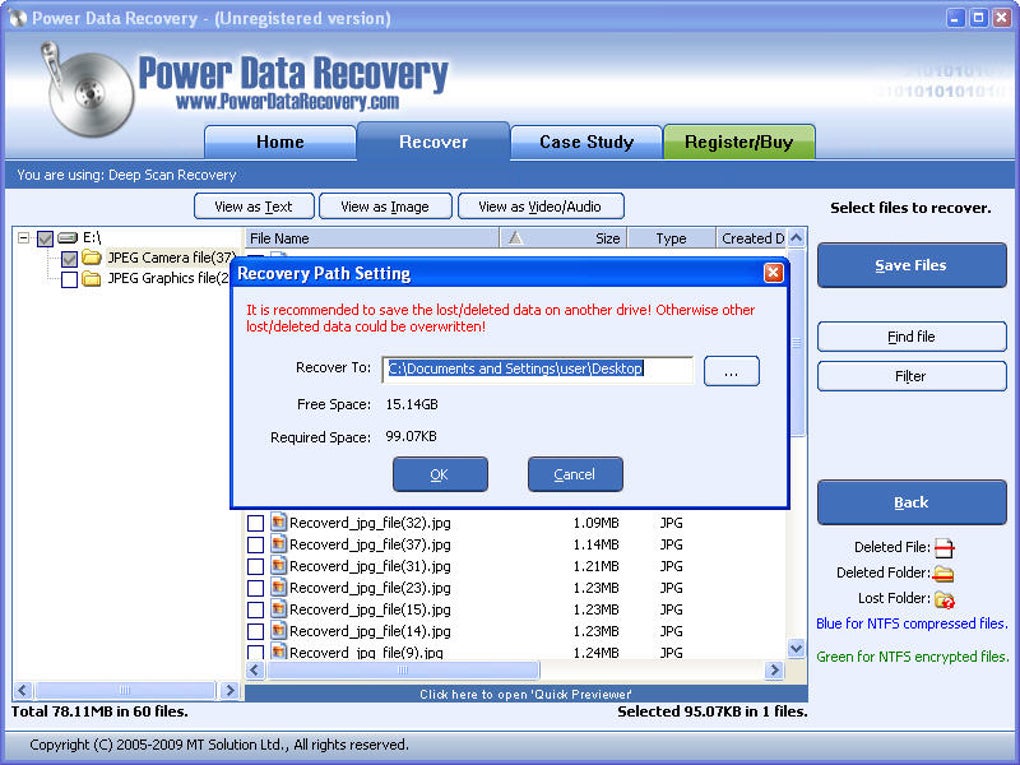
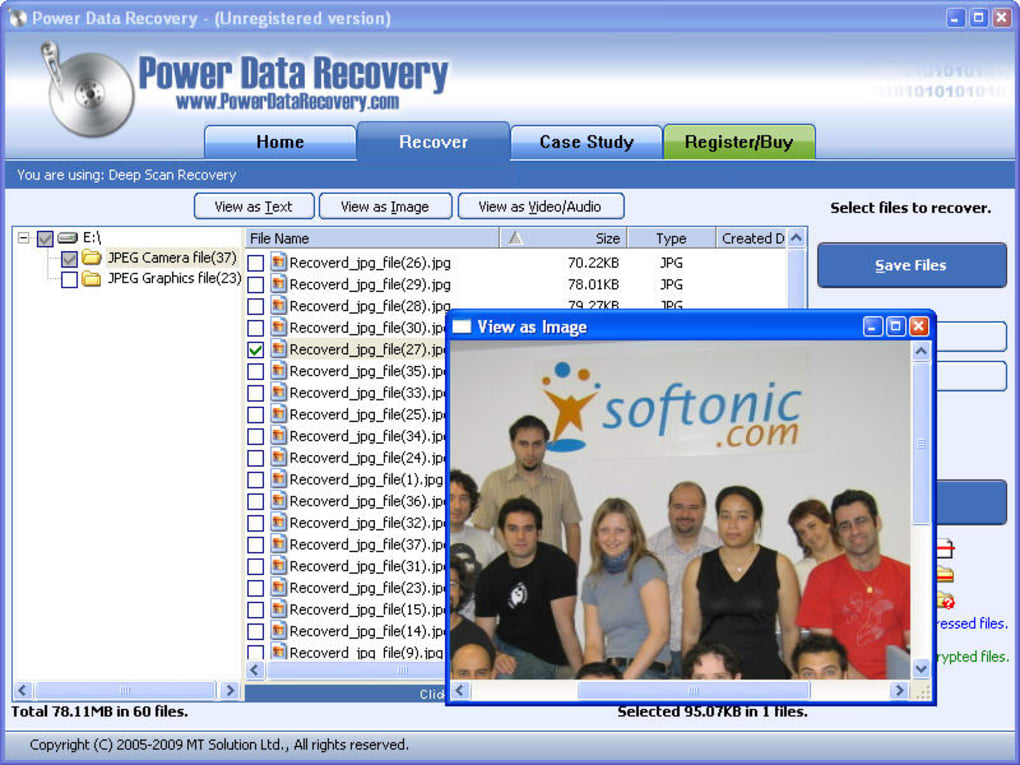
One of the standout features is the file preview capability. Users can preview images, videos, audio files, and plain text documents directly within the software before initiating recovery. This ensures you’re not wasting time or space recovering the wrong files. Additionally, Power Data Recovery supports a wide range of storage devices, including internal and external hard drives, SSDs, USB flash drives, SD cards, and even mobile devices via USB connection. The software also includes a resume function, which saves your scan progress in case the process is interrupted—perfect for long recovery sessions. Another major plus is its cross-platform compatibility, supporting both Windows and Mac operating systems, with mobile versions available for Android and iOS. With its intuitive interface and powerful backend, Power Data Recovery delivers a seamless experience from start to finish.
How to Install and Use Power Data Recovery (Step-by-Step Guide)
Getting started with Power Data Recovery is straightforward, even for users with minimal technical experience. First, visit the official website and download the software for your operating system—Windows, Mac, Android, or iOS. The installation process is quick and guided, requiring only a few clicks. Once installed, launch the application and select the type of recovery you need: Undelete Recovery, Advanced Recovery, or Deep Scan Recovery. For instance, if you accidentally deleted a folder of photos, choose Undelete Recovery and select the drive where the files were located.
After selecting the drive, click “Start Scan.” The software will begin analyzing the device, and you can monitor the progress in real time. During the scan, you’ll notice that Power Data Recovery categorizes recoverable files by type, making it easier to locate what you need. Once the scan completes, you can preview files directly in the app—this is especially helpful for confirming the integrity of documents, photos, or videos before recovery. Select the files you want to restore, choose a safe destination (ideally a different drive to avoid overwriting), and click “Recover.” The software will then copy the selected files to your chosen location.
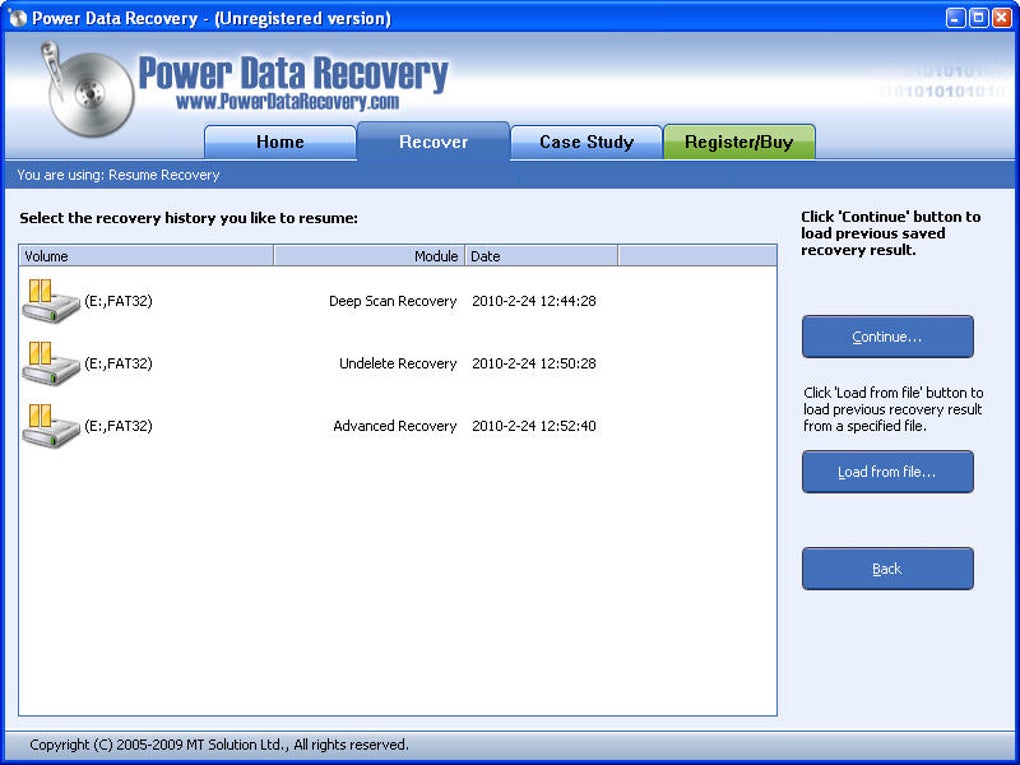
One of the most valuable aspects of this process is the ability to pause and resume scans. If your computer goes to sleep or the process is interrupted, you can restart exactly where you left off. This is particularly useful when dealing with large drives or deep scans. Additionally, the free version allows you to recover up to 1 GB of data, which is sufficient for most small-scale recovery needs. For larger recoveries, upgrading to the paid version unlocks unlimited data recovery and additional features like priority support and advanced filters.
Compatibility & System Requirements
Power Data Recovery is built to work across a wide range of devices and operating systems, ensuring broad accessibility for users worldwide. The software is officially supported on Windows 7, 8, 10, and 11, as well as macOS 10.13 and later. This makes it compatible with both older and newer Mac and PC systems. For mobile users, dedicated apps are available for Android and iOS, allowing you to recover files directly from smartphones and tablets. Whether you're using a laptop, desktop, or mobile device, Power Data Recovery adapts seamlessly to your environment.
In terms of system requirements, the software is lightweight and efficient. On Windows, it requires at least 1 GB of RAM and 500 MB of free disk space. For Mac users, a minimum of 2 GB of RAM and 600 MB of free space is recommended. The software doesn’t place a heavy load on your system, so you can continue using your computer for other tasks while the recovery process runs in the background. It supports all major file systems, including NTFS, FAT32, exFAT, HFS+, and APFS, ensuring compatibility with virtually any storage device. Whether you're recovering from a corrupted USB stick, a formatted SSD, or a damaged external hard drive, Power Data Recovery handles the job with precision. Its ability to work with both internal and external drives makes it a versatile tool for home users, small businesses, and IT professionals alike.
Pros and Cons of Power Data Recovery
- Pros:
- Three powerful recovery modules for different data loss scenarios
- File preview feature for images, videos, audio, and text files
- Supports Windows, Mac, Android, and iOS devices
- Free version is fully functional with 1 GB recovery limit
- Resume scan feature prevents data loss from interruptions
- Lightweight and efficient with low system resource usage
- Intuitive, user-friendly interface suitable for beginners
- Cons:
- Free version limits recovery to 1 GB of data
- Deep Scan can take several hours on large drives
- Mobile app features are less advanced than desktop versions
- No built-in backup functionality
- Advanced features like batch recovery require paid upgrade
Frequently Asked Questions (FAQ)
How do I download Power Data Recovery?
To download Power Data Recovery, visit the official website and select your operating system (Windows, Mac, Android, or iOS). Click the “Download” button, run the installer, and follow the on-screen instructions. The free version is available immediately with no registration required.
Is Power Data Recovery safe to use?
Yes, Power Data Recovery is a secure tool that does not modify original data during scanning. It only reads file information and allows you to recover files to a different location, ensuring your original data remains intact and protected.
Can I recover files after formatting a drive?
Yes, the Advanced Recovery and Deep Scan modules are specifically designed to recover data from formatted drives. As long as the data hasn’t been overwritten, you have a strong chance of successful recovery.
Why can’t I recover more than 1 GB in the free version?
The free version includes a 1 GB data recovery limit to encourage users to upgrade to the paid version for larger or professional-grade recoveries. This restriction applies only to the amount of data recovered, not the scanning process.
Can I use Power Data Recovery on a damaged or unbootable system?
Yes, you can use Power Data Recovery on a damaged system by booting from a USB drive with the software or connecting the drive to another computer. This allows you to recover data even if your primary system won’t start.
Final Verdict: Is Power Data Recovery Worth It?
Power Data Recovery delivers an impressive balance of power, ease of use, and affordability. Its three-tiered recovery system covers nearly every data loss scenario, from simple deletions to complex drive failures. The ability to preview files before recovery and resume interrupted scans adds a layer of reliability that many competitors lack. While the free version has a 1 GB cap, it’s still an excellent choice for casual users and small-scale recoveries. For professionals or those needing to recover large volumes of data, the paid upgrade offers significant value.
Whether you're a student who lost a semester’s worth of assignments, a photographer with a corrupted SD card, or a business owner recovering client files, Power Data Recovery provides a fast, secure, and dependable solution. Don’t wait until it’s too late—download Power Data Recovery today and safeguard your digital life.
Guides & Tutorials
How to install Power Data Recovery
- Click the Download button above.
- Once redirected, accept the terms and click Install.
- Wait for the Power Data Recovery download to finish on your device.
How to use Power Data Recovery
This software is primarily used for its core features described above. Open the app after installation to explore its capabilities.
User Reviews
No reviews yet. Be the first to share your experience.
You may also like
more
Llama 2
Free-to-use large language model As the new addition to Meta’s arsenal of langua...

NotebookLM
Revolutionizing the note-taking and idea-generation process NotebookLM is an exp...

Github co pilot
AI-inspired software development and coding platform GitHub Copilot is a browser...

Google Gemma
Google’s lightweight AI models Introducing Google Gemma , a family of cutting-ed...

AI Image Enlarger
A free app for Windows, by ai-image-larger. AI Image Enlarger is a free software...

DALL E
AI-driven text-to-image transformation engine DALL·E is a free graphic and desig...